Is your website invisible to ai search? here's how to check
Most business owners assume that if their website is live, it's visible. To Google, maybe. To AI search engines like ChatGPT, Perplexity, Google AI Overviews, Gemini, and Claude, probably not — and the reason is almost always something fixable that takes less than 15 minutes to address.
This is a practical walkthrough. By the end of it, you'll know exactly whether AI search engines can find and read your website, what's blocking them if they can't, and what to do about it.
ai search visibility vs google visibility
Google and AI search engines don't work the same way. Google ranks pages. AI search engines like ChatGPT, Perplexity, Google AI Overviews, Gemini, and Claude read multiple sources, synthesize an answer, and decide which businesses to cite or recommend based on what they can actually extract from your content.
Being indexed by Google does not mean being visible to AI. According to a 2026 analysis by SOCi, ChatGPT currently recommends just 1.2% of local businesses — meaning 98.8% of businesses with functioning websites are invisible in AI-generated answers. Strong Google rankings do not automatically translate into AI visibility. Each platform — ChatGPT, Perplexity, Google AI Overviews, Gemini, Claude — has its own crawlers, its own data sources, and its own logic for deciding what to surface.
The gap between businesses that show up in AI answers and those that don't usually comes down to three things: whether AI crawlers can actually access the site, how the content is structured, and whether the site gives AI engines enough clear, extractable information to work with.
step 1: check whether ai crawlers are blocked on your website
This is the single most common and most damaging issue, and most businesses have no idea it exists.
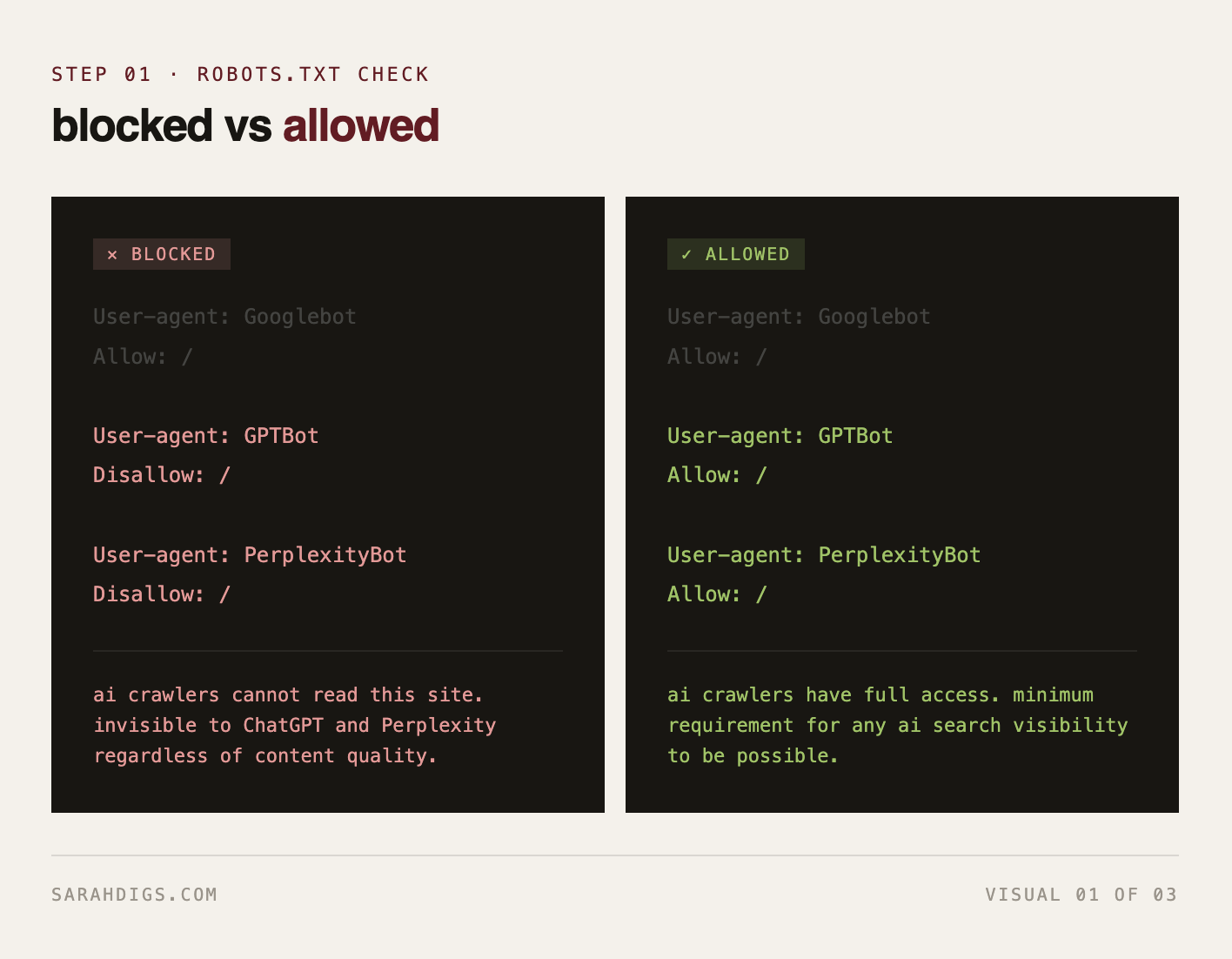
Each AI search platform uses its own crawler to read websites. ChatGPT uses GPTBot. Perplexity uses PerplexityBot. Google uses Googlebot for AI Overviews as well as its standard crawl. Gemini relies on Google's crawling infrastructure. Claude uses ClaudeBot. If your robots.txt file blocks any of these crawlers, your website is completely invisible to those platforms regardless of how good your content is.
How to check:
Go to yourdomain.com/robots.txt in your browser. You'll see a plain text file. Look for any lines that say:
User-agent: GPTBot
Disallow: /

User-agent: PerplexityBot
Disallow: /

User-agent: ClaudeBot
Disallow: /
If any of those appear in your file, that crawler is blocked from your entire site.
How to fix it:
Remove those lines, or replace Disallow: / with Allow: /. The cleanest version that opens your site to all major AI crawlers looks like this:
User-agent: GPTBot
Allow: /

User-agent: PerplexityBot
Allow: /

User-agent: ClaudeBot
Allow: /

User-agent: Googlebot
Allow: /
If you're on Webflow, WordPress, or another CMS, this file is usually editable in your site settings or through a plugin. The fix takes under five minutes and is one of the highest-impact changes you can make for AI visibility across all platforms.
step 2: test your actual visibility across ai platforms
Once you've confirmed crawlers aren't blocked, the next step is to test whether you're actually showing up when someone asks an AI tool about your category.
How to test:
Open ChatGPT with web browsing enabled, Perplexity, Google with AI Overviews on, Gemini, and Claude separately. Run the same prompts your ideal client would actually use — not your brand name. Think about how a founder who doesn't know you exists would describe their problem or what they're looking for.
Examples of the kind of prompts to test:
"best website studio for tech startups"
"who should I hire to build a high-converting website"
"website agency that specializes in SEO and design"
"how to find a good web designer for a startup"
Run each prompt across all five platforms and note which businesses appear on each one. The results will differ platform to platform because each one pulls from different sources and uses different logic. If competitors are showing up across multiple platforms and you're not, look at what their content structure looks like compared to yours. That gap tells you exactly what to work on.
step 3: check how your homepage & key pages are structured
AI engines don't scan your whole website the way a human would. They extract specific, clearly written information from the top sections of your pages. If your homepage opens with a vague tagline or a hero image with minimal text, AI systems across ChatGPT, Perplexity, Gemini, Google AI Overviews, and Claude have very little to work with.
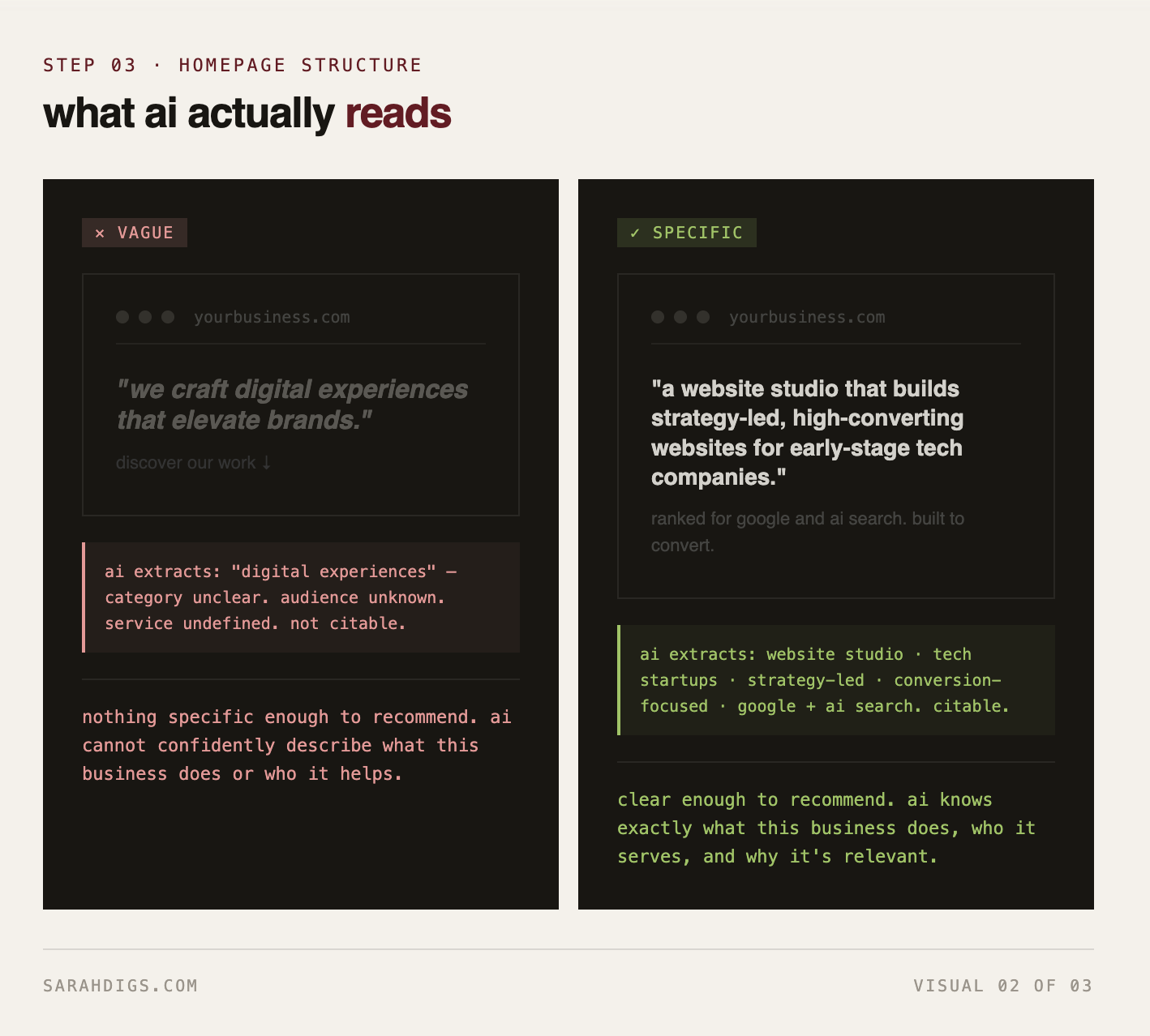
The content structure that AI engines extract most reliably looks like this:
A clear, direct statement of what the business does in the first 40 to 75 words of the page
Specific descriptions of who the service is for
Named outcomes or results the business delivers
Structured content like clear headings, short paragraphs, and well-organized sections
A homepage that opens with "we craft digital experiences that elevate brands" gives every AI platform almost nothing to work with. A homepage that opens with "a website studio that builds strategy-led, high-converting websites for early-stage tech companies" gives every platform something it can actually use and confidently cite.
step 4: check whether your business exists beyond your own website
ChatGPT frequently references authoritative editorial content and established publications. Perplexity pulls heavily from Reddit, forums, and community discussions. Google AI Overviews uses a broad mix of search-indexed sources. Gemini prioritizes Google's own ecosystem including Google Business Profile, YouTube, and indexed content. Claude draws from a wide range of published sources across the web.
If your business only exists on your own website, your visibility ceiling across all of these platforms is severely limited. AI systems build confidence by cross-referencing information across multiple sources. A business that appears consistently across its own site, LinkedIn, industry publications, directories, and community platforms is far easier for any AI system to confidently recommend.
Things worth checking:
Is your business listed on LinkedIn with a complete, up-to-date company page
Is your name, description, and service consistent across every platform where you appear
Have you been mentioned or cited anywhere outside your own site — guest posts, interviews, directory listings, press mentions
Does your Google Business Profile exist and match your website exactly — this directly feeds Gemini and Google AI Overviews
Are you present in any community discussions, forums, or industry publications that Perplexity is likely to reference
step 5: check your schema markup
Schema markup is structured data added to your website's code that tells search engines and AI systems exactly what type of content they're looking at. For a service business, the most important schema types are Organization, LocalBusiness, Service, and FAQ.
Without structured data, AI systems across all platforms have to guess what your content represents. With it, they can classify your content accurately and cite it with confidence. Google AI Overviews and Gemini in particular rely heavily on structured data since they sit inside Google's ecosystem where schema has always been a core signal.
How to check whether you have it:
Go to Google's Rich Results Test at search.google.com/test/rich-results and enter your URL. It will tell you what structured data exists on your page and flag any errors.
If the result shows no structured data, that's a significant gap worth addressing. Most website platforms including Webflow and WordPress have plugins or built-in options to add schema without touching code.
what to prioritize first for ai visibility
If you've run through all five steps, you likely have a clear picture of where the gaps are. Here's the order that makes the most sense to work through:
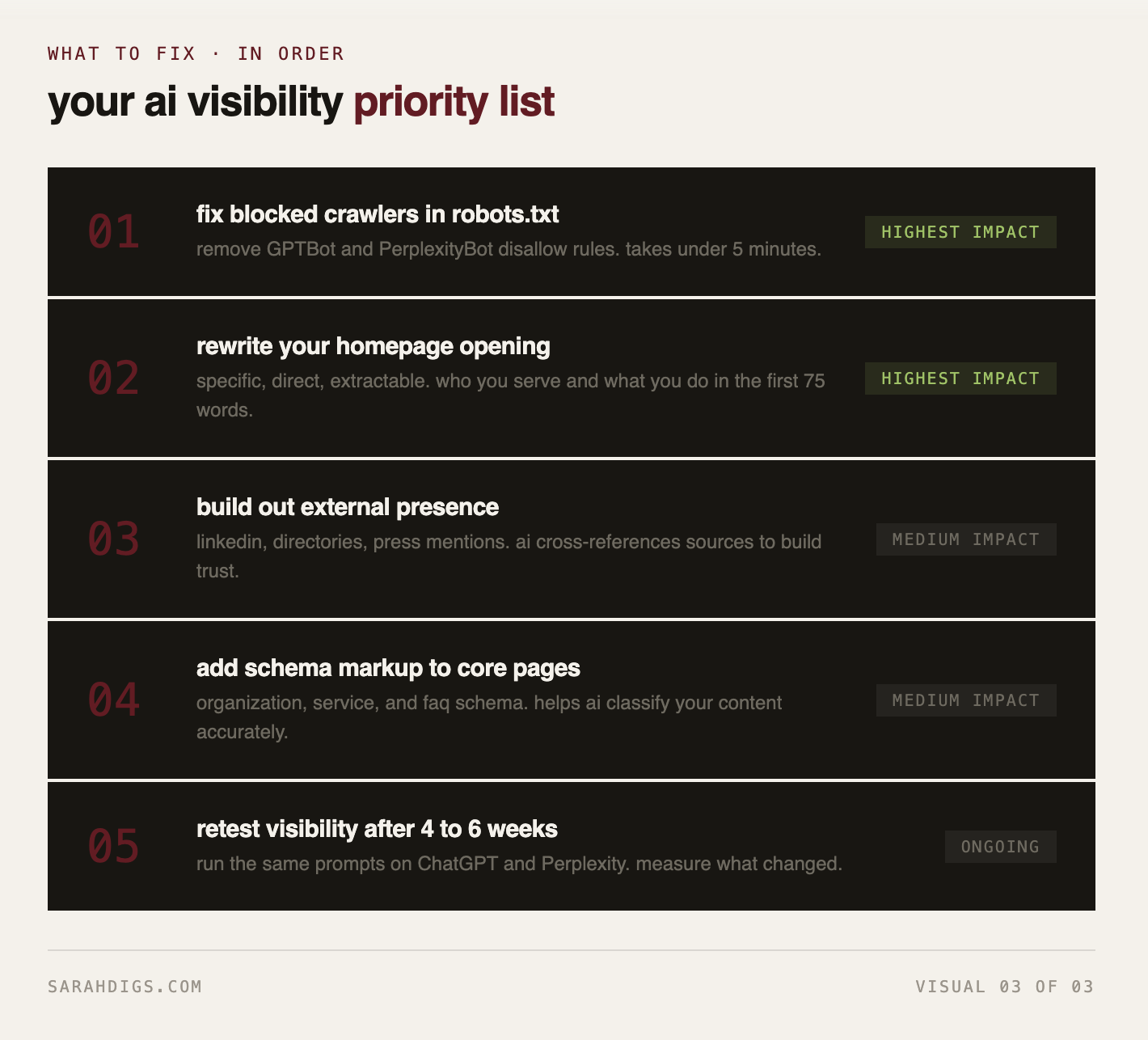
Fix any blocked crawlers in robots.txt immediately — this unlocks visibility across ChatGPT, Perplexity, Claude, and every other AI platform that respects robots.txt
Rewrite your homepage opening to be specific, direct, and extractable
Build out or update your presence on LinkedIn, Google Business Profile, and key external platforms
Add schema markup to your core service pages
Test your visibility again across all five platforms after 4 to 6 weeks to measure the improvement
AI search visibility isn't about gaming a system. It's about making it genuinely easy for every AI engine to understand what your business does and trust that you're worth recommending. The businesses showing up in AI answers right now aren't there by accident. They've made it easy for every platform to find them, read them, and confidently cite them.